Approval
The approval page, picture below, displays a dropdown menu of all employees who have worked for your department with timesheets to authorise.
A link to this page will only be present in the navigation menu if you have authorisation permissions!

Select an employee and then the date field will appear. This dropdown will only show the week commencing date of weeks that have timesheets to authorise. Once you have selected a date a table will appear below with the submissions to authorise.
Clicking on a row will open a form allowing you to edit any of the fields for that entry. Simply make the required changes and then click the Submit button. Should you change the department to that of not your own, the record will dissapear from the table and will be present for an approved from the relevant department to approve.
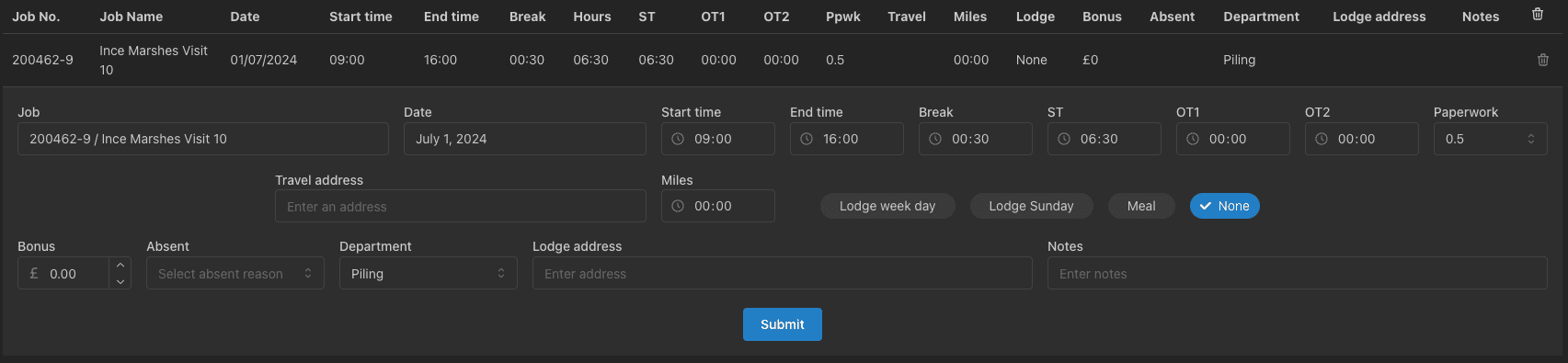
Should an entry be completely wrong, you can click the delete button in the last column of the table to delete it. The record can then be resubmitted.
Once you are happy with all entries in table, click the Approve button to approve them.